CASE STUDY
Vodafone Checkout
The
context
Vodafone commissioned a project to reimagine the Vodafone website. The key business problem was customers were not completing the checkout, and when they did, additional information or clarification was required. The goal was to reduce drop-off during the checkout process and minimising the need for additional customer information to be gathered after the fact.
Design process
I followed a lean UX design thinking process to ensure my decision were supported through user research and feedback.
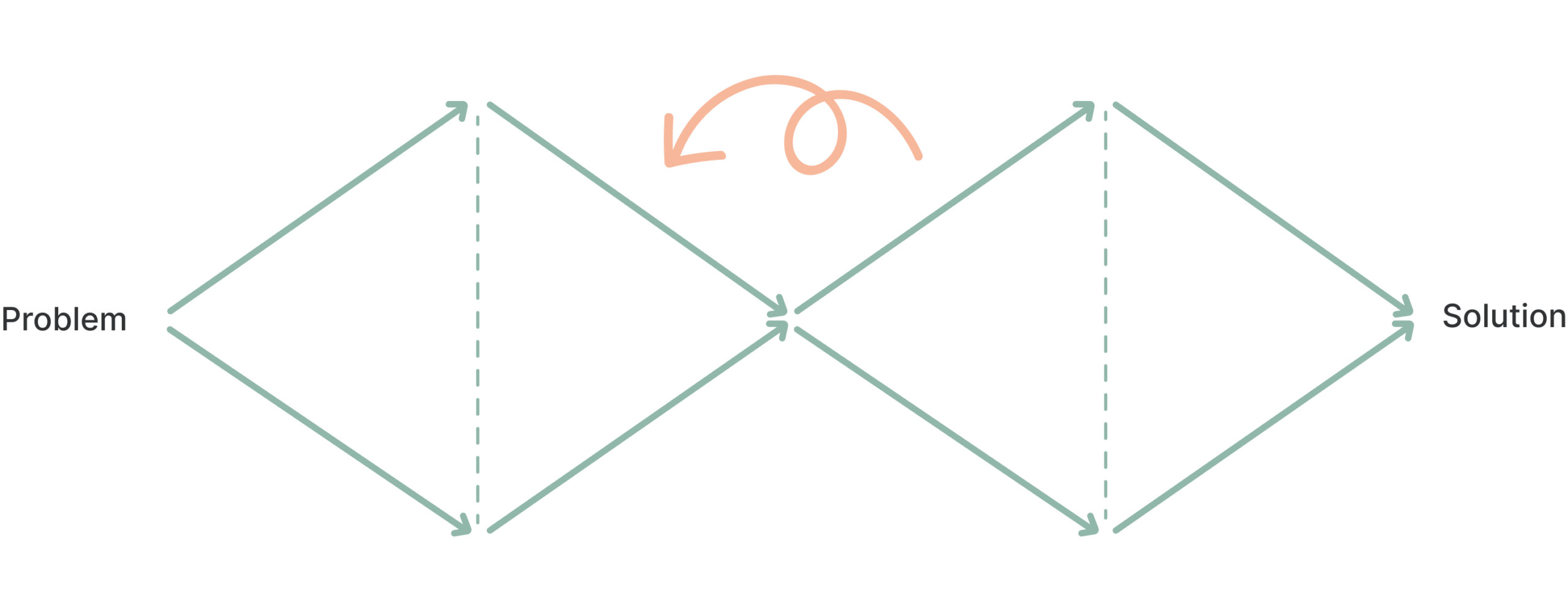
Discovery
Ideations workshops
Feature mapping
Competitor analysis
Service blueprint
Define
Wireframes
Design system
Userflows
Test & learn
Moderated & unmoderated user testing
Delivery
Development ready design
QA Support
Program ways of working
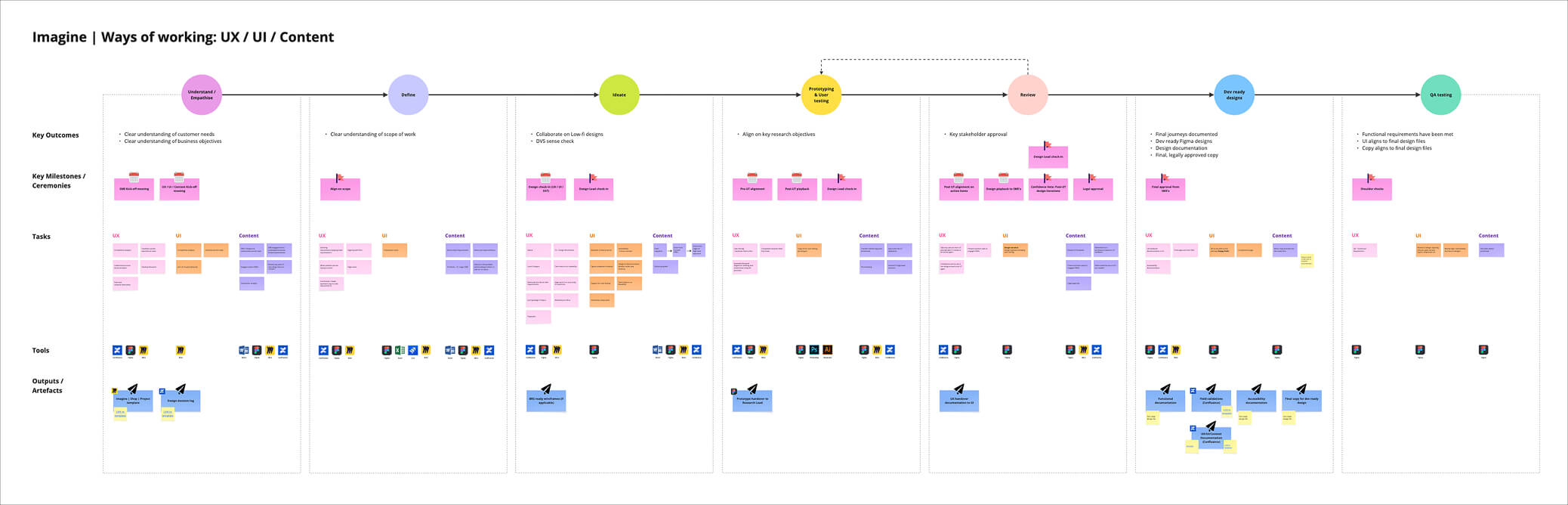
Quickly after joining Vodafone I was asked to define the program’s ways of working with content, user experience designers and user interface designers. My approach was to first understand my team’s current ways of working and pain points. We iterated on this as a team and defined our key tasks through the design/content process. We also defined the definition of “done” for development-ready designs to collaborate with our design system team on accessibility documentation. This framework was rolled out throughout the transformation program.
After the first three months, our design team grew with the addition of 4 additional teams of UX/UI designers across new and returning/upgrading customers. My role grew from leading checkout from a design perspective to overseeing the designs across these 4 teams.
DISCOVERY
Map the current experience
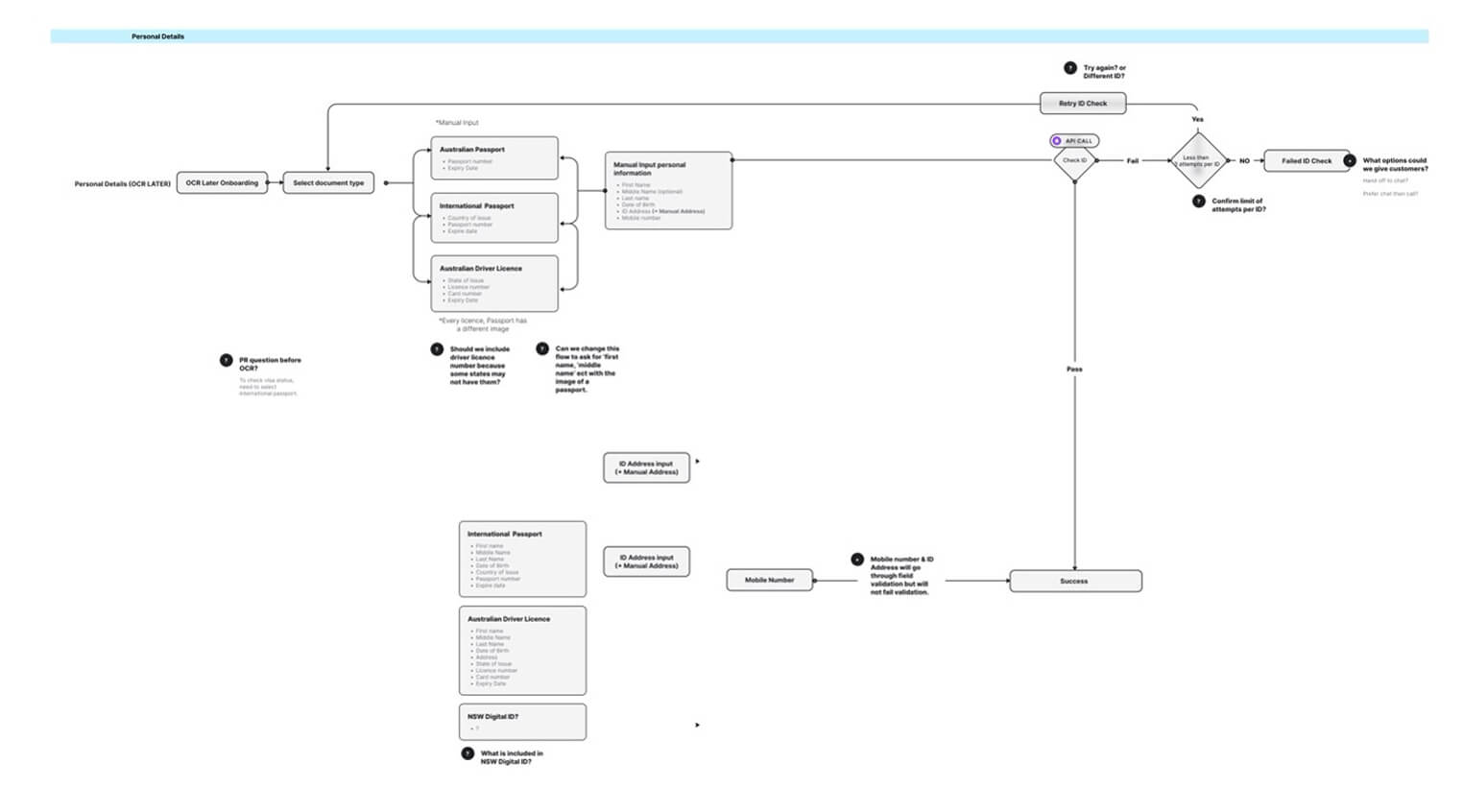
The Vodafone checkout journey is complex and dynamic, with steps that vary depending on the products and services being purchased. For instance, buying a phone may require transferring your existing mobile number to a new Vodafone SIM. If you’re signing up for internet service, a technician might need to visit your home to complete the installation. In total, 17 distinct features or steps were required to create the new checkout experience for new customers. A high-level user flow is shown below; this does not include all the possible steps.
Within discovery we documenting high-level business requirements and mapped the current checkout experience, identifying customer and business pain points, and supported these insights with relevant data. This process highlighted opportunities that could be addressed within the transformation project and informed necessary design considerations.
Some key high-level pain points included:
- Data accuracy: Ensuring customer orders could be fulfilled based on the information provided.
- Expectations of credit assessment: Customers were often unaware they would be subject to a credit check when purchasing a phone, and did not understand why this information was required.
- Identity verification: Customers were not prepared to provide a passport or driver’s licence to verify their identity.
- Unexpected questions: Customers were asked to provide unfamiliar or unexpected information, which left them uncertain about what was actually required.
- Navigation and review: Customers couldn’t edit their information on the review page within checkout, making the process frustrating and inefficient.

DEFINE
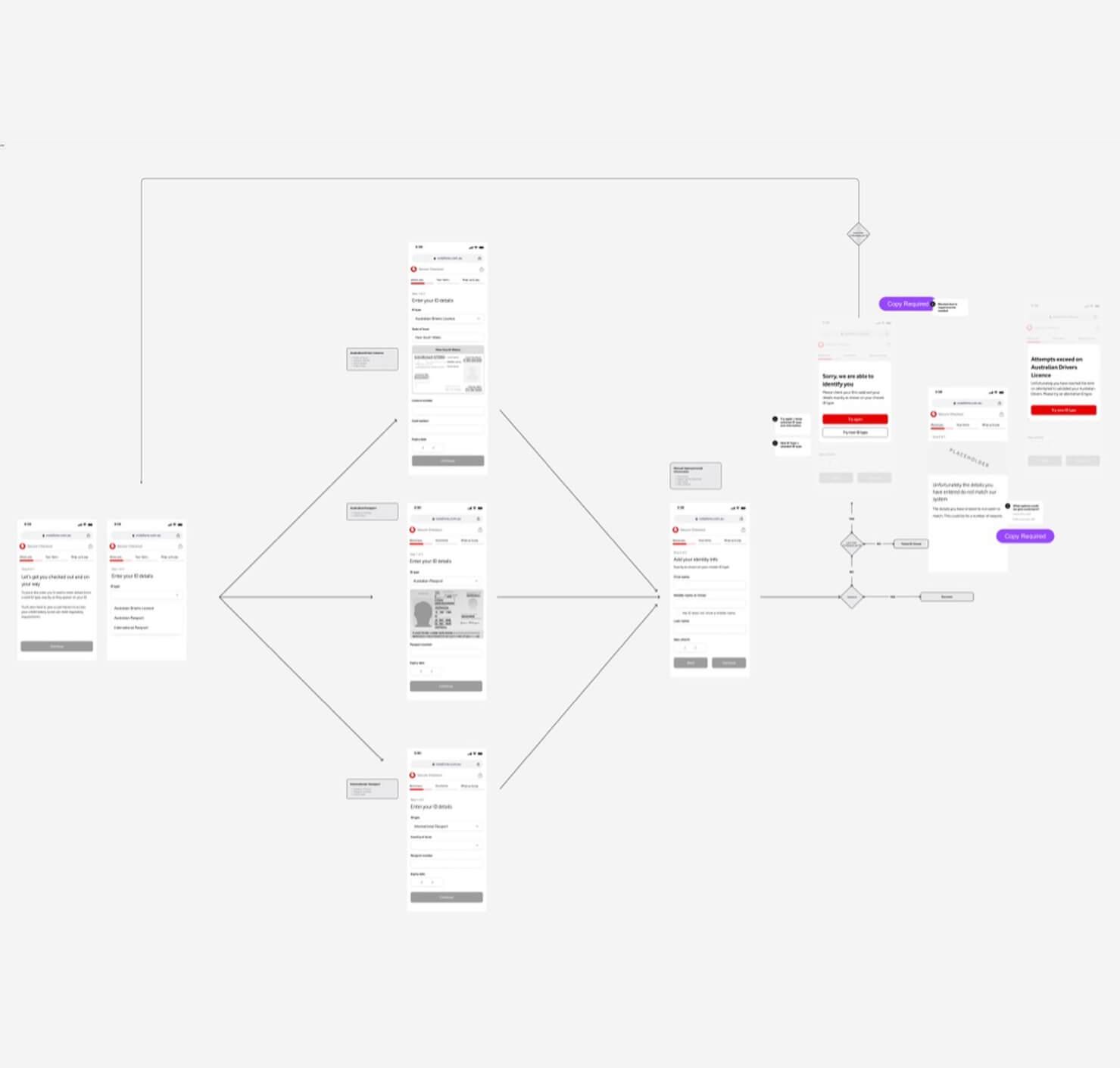
We documented high-level requirements along with user flows to give the development team enough context for estimating the initiatives and providing feasibility feedback.
This process helped identify potential issues and often raised additional questions about the requirements. Once we, as a team, agreed on the user flow and had it reviewed by stakeholders, we moved on to creating wireframes.

IDEATE & LEARN
Within my squad, I created a wireframe based on refined requirements and highlighted areas for UI exploration with my UI designer. I ran moderated user testing on a combination of wireframes and high-fidelity prototypes. We iterated on concepts based on customer feedback, and once the squad felt confident in our solution, it would progress to into development-ready designs.
To maximize our customer testing, the team collaborated to combine user testing sessions across multiple steps of the project. Despite having an extremely tight timeline, we aimed to validate all of our designs with customers. For areas where we felt more confident, we utilized unmoderated user testing.
Within the checkout team, I supported designers in developing their user testing skills. This not only helped them build confidence and capability, but also enabled us to conduct more frequent and effective customer testing across our designs.

KEY DESIGN DECISIONS

Customers preparedness
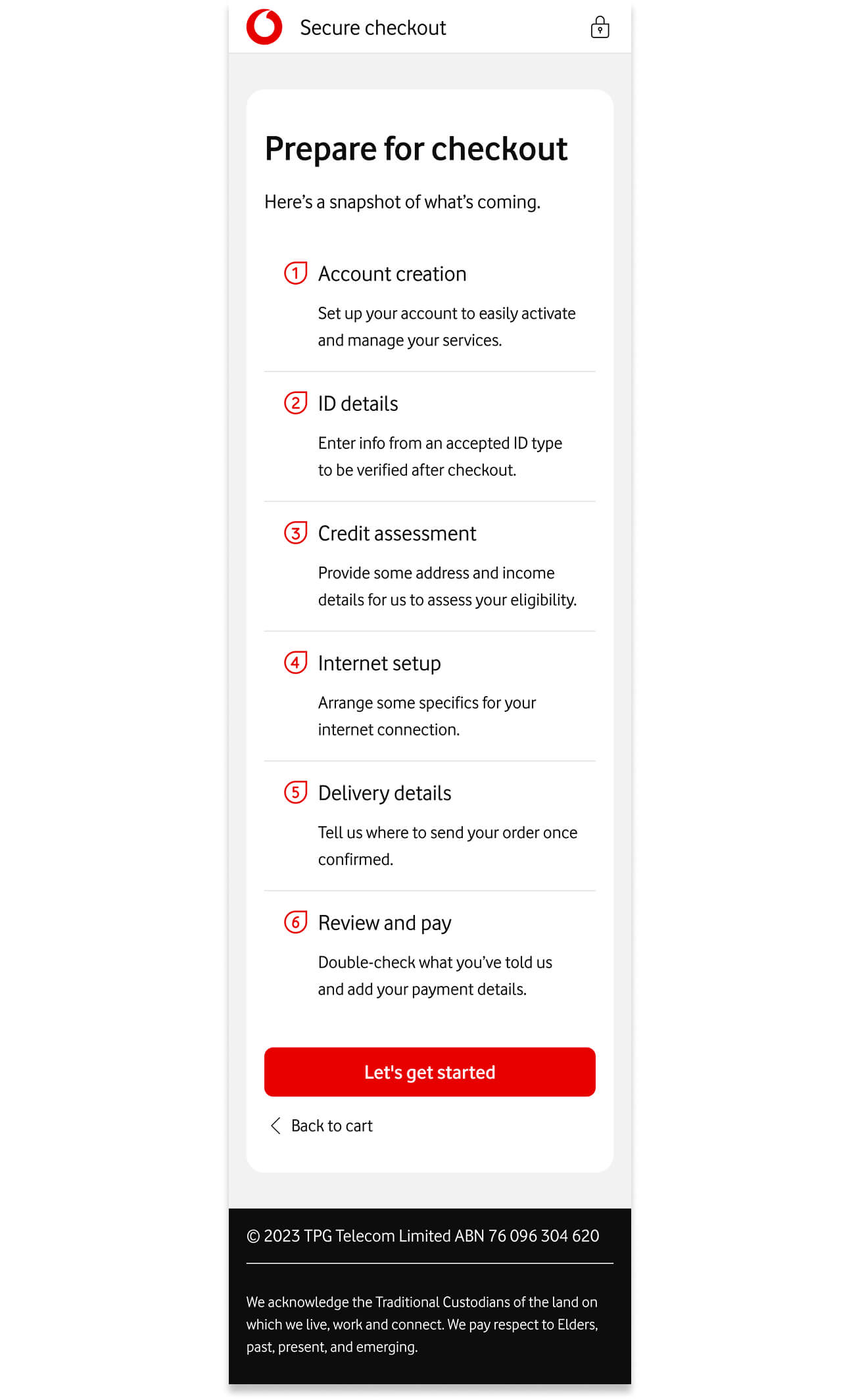
To help customers prepare for checkout, we introduced an overview page that clearly outlined the steps required to complete it. The overview page tested very well with customers and was often called out as a highlight.
We also made sure to inform customers that they would need to provide identification information to complete their purchase so they could understand what information was required to complete the process as well as be prepared for how long the process would take.

Expectations of credit assessment
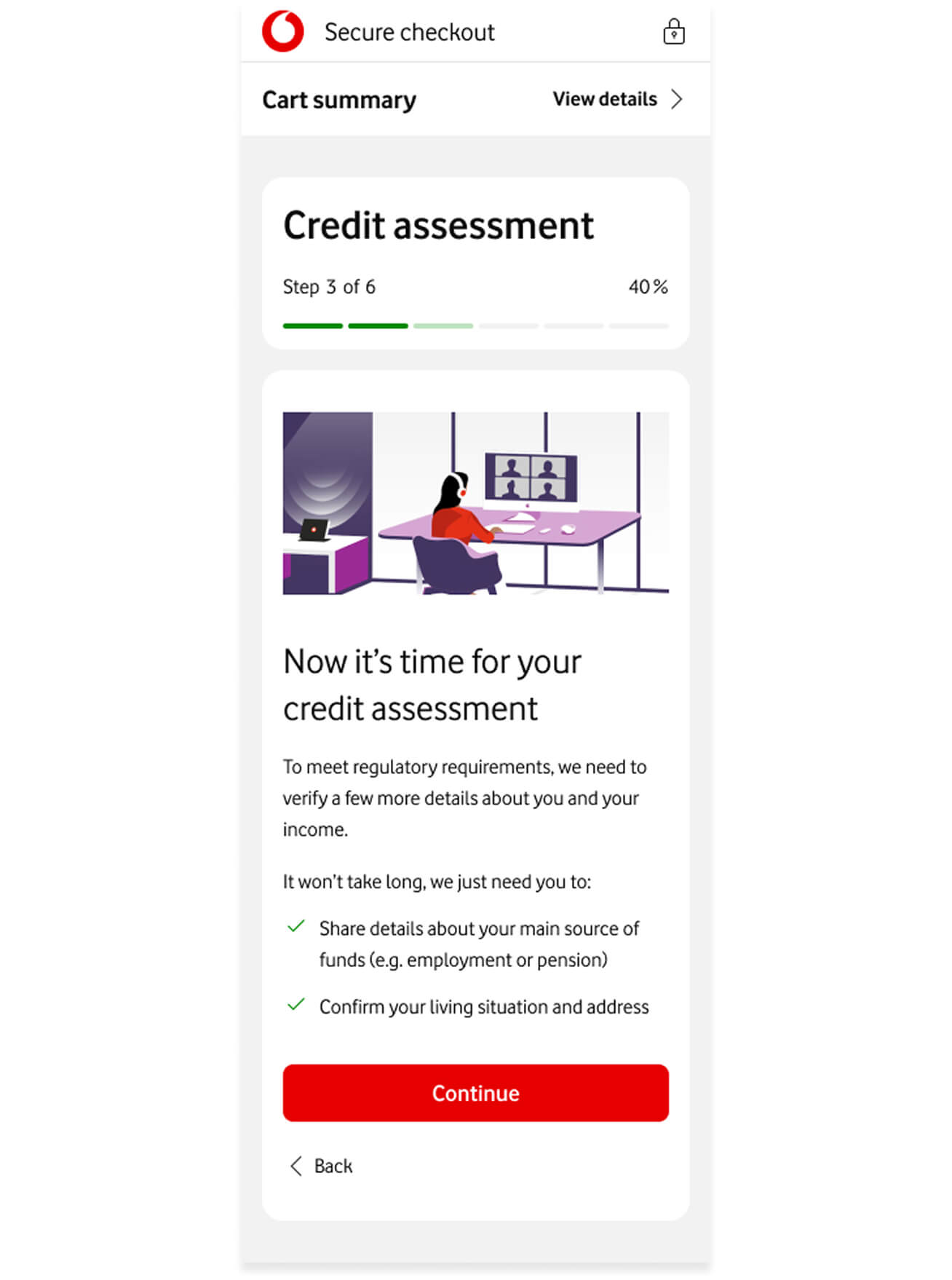
Customer testing revealed that many users were surprised and confused about the need for a credit assessment when purchasing a SIM and device.
To address this, we introduced an introductory screen before the credit assessment. After implementing this change, customers felt more prepared, and the screen helped clarify that the requirement was regulatory.
Data accuracy
Within the checkout, there is a lot of information that must be provided by customers in the correct format; otherwise, the order won’t progress without a Vodafone team member reviewing the order or contacting the customer.
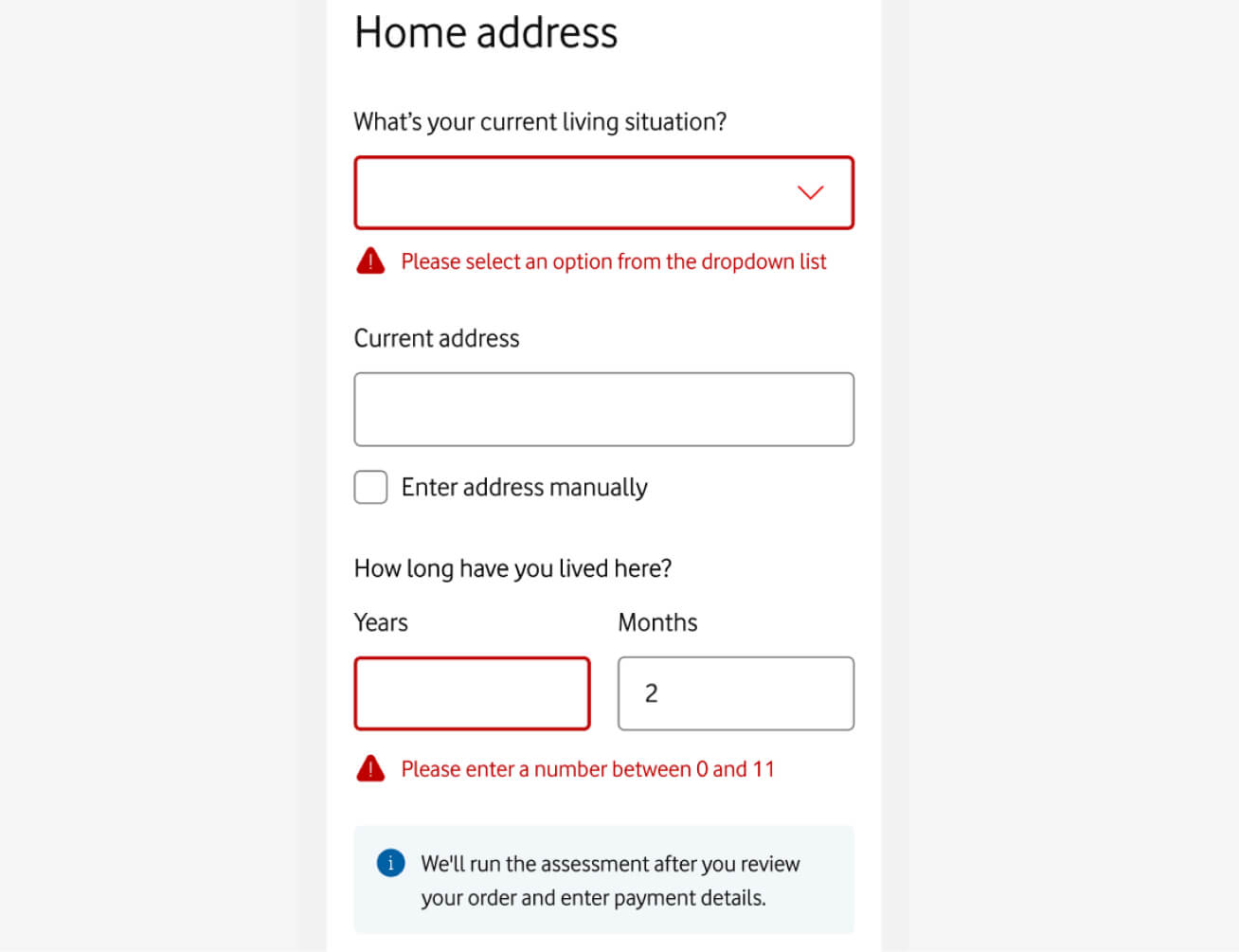
One of our key focuses was to put guardrails within our text fields using field validation. This helped catch any potential errors on the front-end to ensure the data being sent to the team had the highest chance of being correct.
The initial checkout experience did not include inline field validation and instead relied on global alerts, typically displayed as prominent red banners at the top of the screen.
To improve this, we conducted a detailed review of the requirements for each field. This was often a complex task, as individual states had varying requirements for elements such as driver’s license numbers which had different validation state to state.
Based on our findings, we defined the necessary validation types and developed clear supporting text to help users meet input requirements.

Unexpected questions
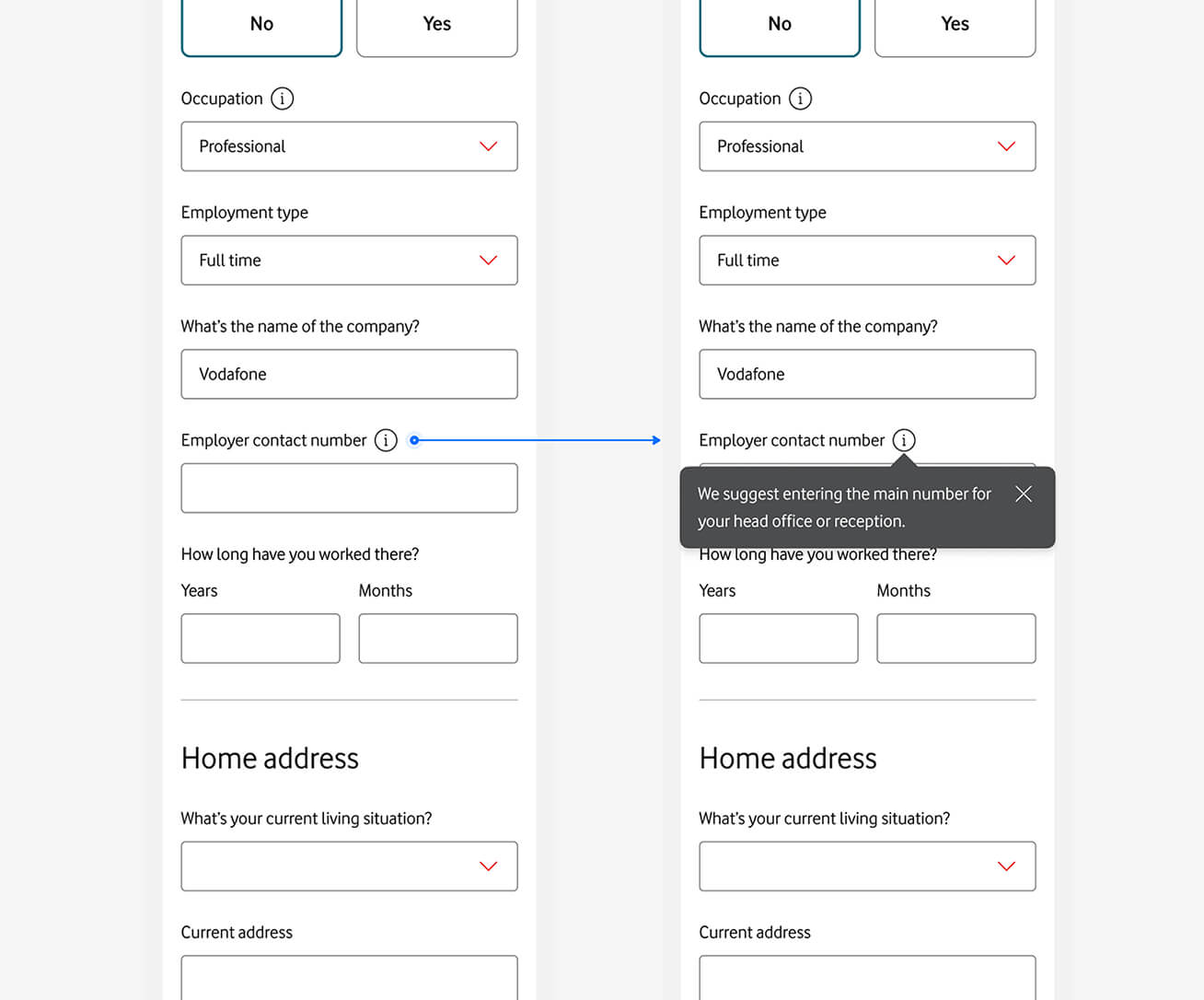
Within our requirements we had to ask customers for often unexpected information such as an ‘employer phone number’ within a credit assessment. This was a requirement that could not be change but I worked with the content team to try to provide a helpful guide. For example for employer phone number often users where confused what number to provide so we suggested ‘head office’ or ‘reception’.

Navigation
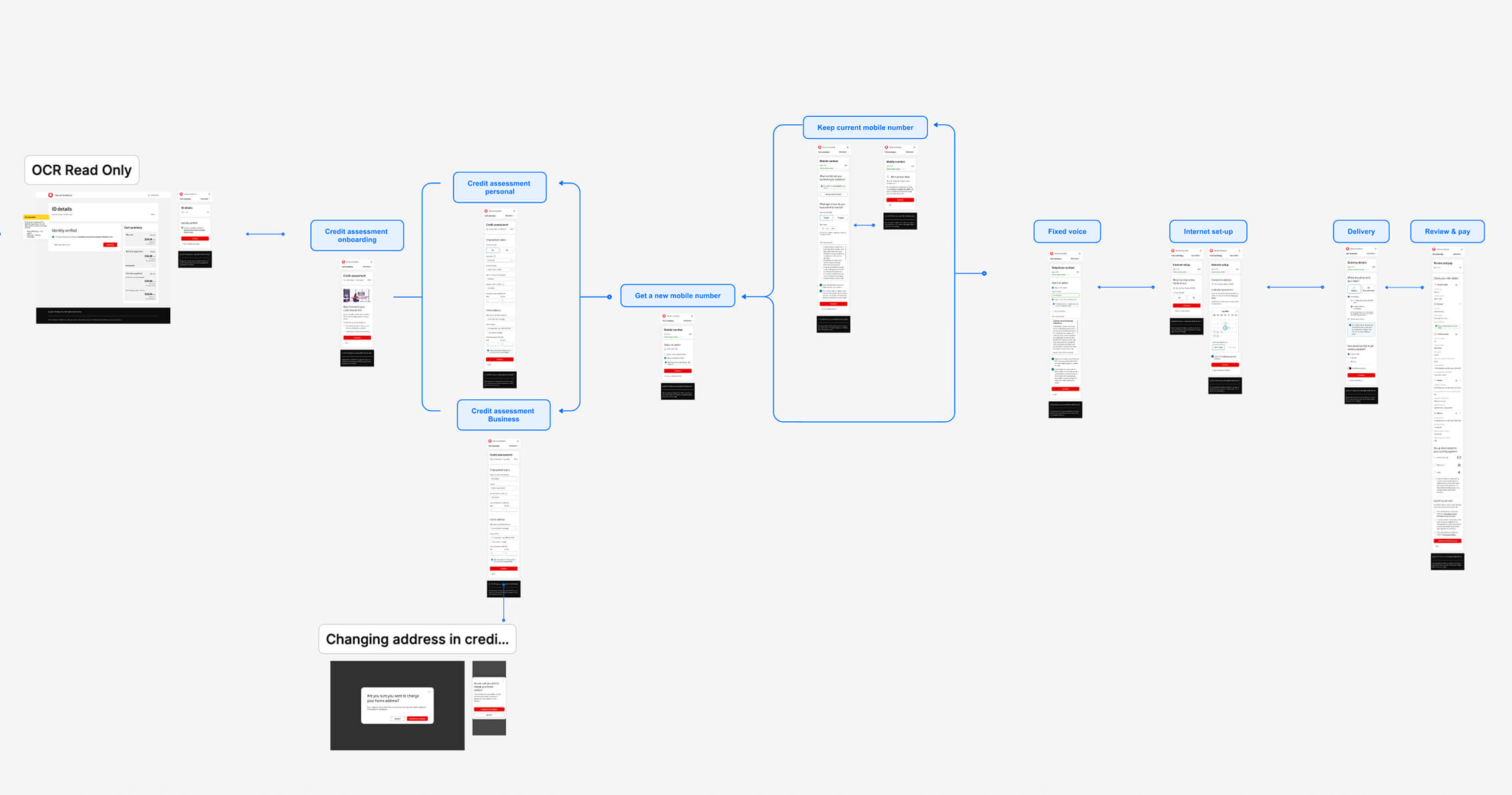
With five teams working on the checkout experience, I created a high-level user flow to align efforts and ensure a consistent customer journey. Each designer drafted detailed flows for their respective steps, which I reviewed and integrated into a comprehensive end-to-end overview. We organised this by product type, as different products required different checkout steps. This document became our source of truth for stakeholder walkthroughs.
To address incorrect data and improve user control, we enabled customers to freely navigate and edit their information throughout the checkout experience. We also introduced the ability for users to review what they had entered and return to previous steps to make changes. I stitched together navigation paths and review options to support this flexibility, allowing users to make adjustments before finalising their purchase.
DELIVERY
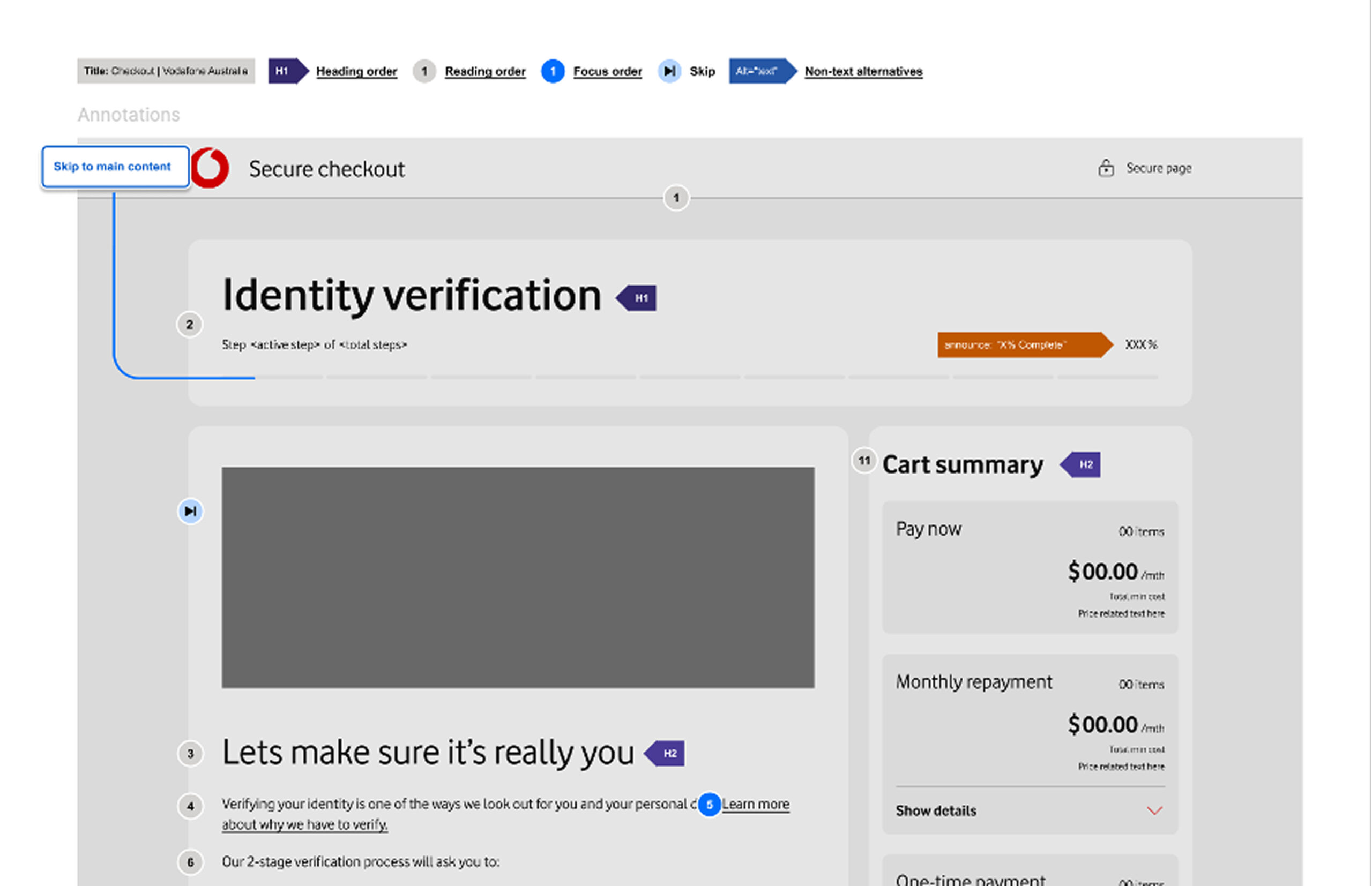
We established a clear definition of done, which included pixel-perfect designs, accessibility annotations, data analytics, documentation of editable content requirements within our CMS, and detailed field validation guidelines.
For accessibility annotations, our design system team focused on documenting accessibility at the component level. Meanwhile, our team was responsible for page-level annotations, paying particular attention to heading order, focus order, and relevant announcements to ensure a more inclusive experience.
Field validation documentation played an important role in the solution, helping us capture more accurate customer data and minimise the risk of orders being delayed or unable to proceed due to incorrect information.
With these artifacts in place, we guided our technology partner through the designs before moving into development, ensuring alignment and clarity across teams.

Overall impact
The first phase of Vodafone’s redesigned checkout experience was successfully launched, addressing a key business challenge: reducing customer drop-off during the purchase journey. The new checkout flow guides customers through the process more intuitively, helping them understand what’s required and catch any errors before submitting their order. The results exceeded expectations, with a significant uplift in conversion rates observed following the rollout. This initial success validated the strategic approach and laid a strong foundation for future enhancements.